
3 Claude Agents to Build First (Even If You Don't Code)
This video walks through three Claude Code agents Duncan built by typing plain-English instructions instead of writing code: a business dashboard that pulls numbers from community, email list, ads, Instagram, and YouTube into one page with a tab per platform, a daily agent that checks 20 followed channels for what jumped in the last three days and sends one video idea, and an inbox-check agent that summarizes unread email. The dashboard is shown as already built, with Claude Code-written scripts refreshing the numbers every four hours; the video-idea and inbox agents are presented through example prompts/recipes to build rather than demonstrated running on the creator's own data. The stack named on screen or spoken is Claude Code (which requires a paid Claude plan), the /schedule command for cloud-run timers, and the Gmail connector on the Claude app's connectors page; no other apps, databases, or automation platforms are named. On-screen prompts and config beyond the quoted example prompts are unavailable, so this account otherwise rests on narration.
System does: Duncan builds AI agents by describing the job in plain English in Claude Code instead of writing code, and Claude sets the agent up. [00:28]
- System does: Duncan says he has never written a line of code by hand and uses AI agents for content planning, topic research, titles, thumbnails, and scripts. [00:37]
- System does: the first agent's job is to put business numbers from community, email list, ads, Instagram, and YouTube onto one dashboard page with a tab for each. [02:00]
- System does: the second agent runs at 7am, checks 20 followed channels, finds what jumped in the last three days, and checks own titles to avoid repeating a video. [03:50]
- System does: the second agent scores the topics, picks one, and delivers one video idea with a title, first lines to say, and what to show on screen, a job that used to take three to five hours a week. [04:00]
+ 25 more takeaways
- System does: the third agent reads unread email from the last 24 hours every morning and sends one summary. [05:25]
- System does: the inbox-check agent reports who wrote, what needs a reply today, and which messages are from someone who might want to buy, and it can only read, never send, delete, or edit anything. [05:32]
- Stack: Claude writes a text file (weekly-recap.md) containing the agent's name, job, and rules, and saves it, and that file is the agent. [01:39]
- Stack: to build an agent, you open Claude Code and type what you want in plain English, saying what to call it, its one job, and where to save it. [01:23]
- PROMPT (01:30): "create an agent called weekly-recap in my personal agents folder, with the one job of writing a short summary of the week." [01:30]
- PROMPT (03:02): "Build me one dashboard page with a tab for each place I check my numbers." [03:02]
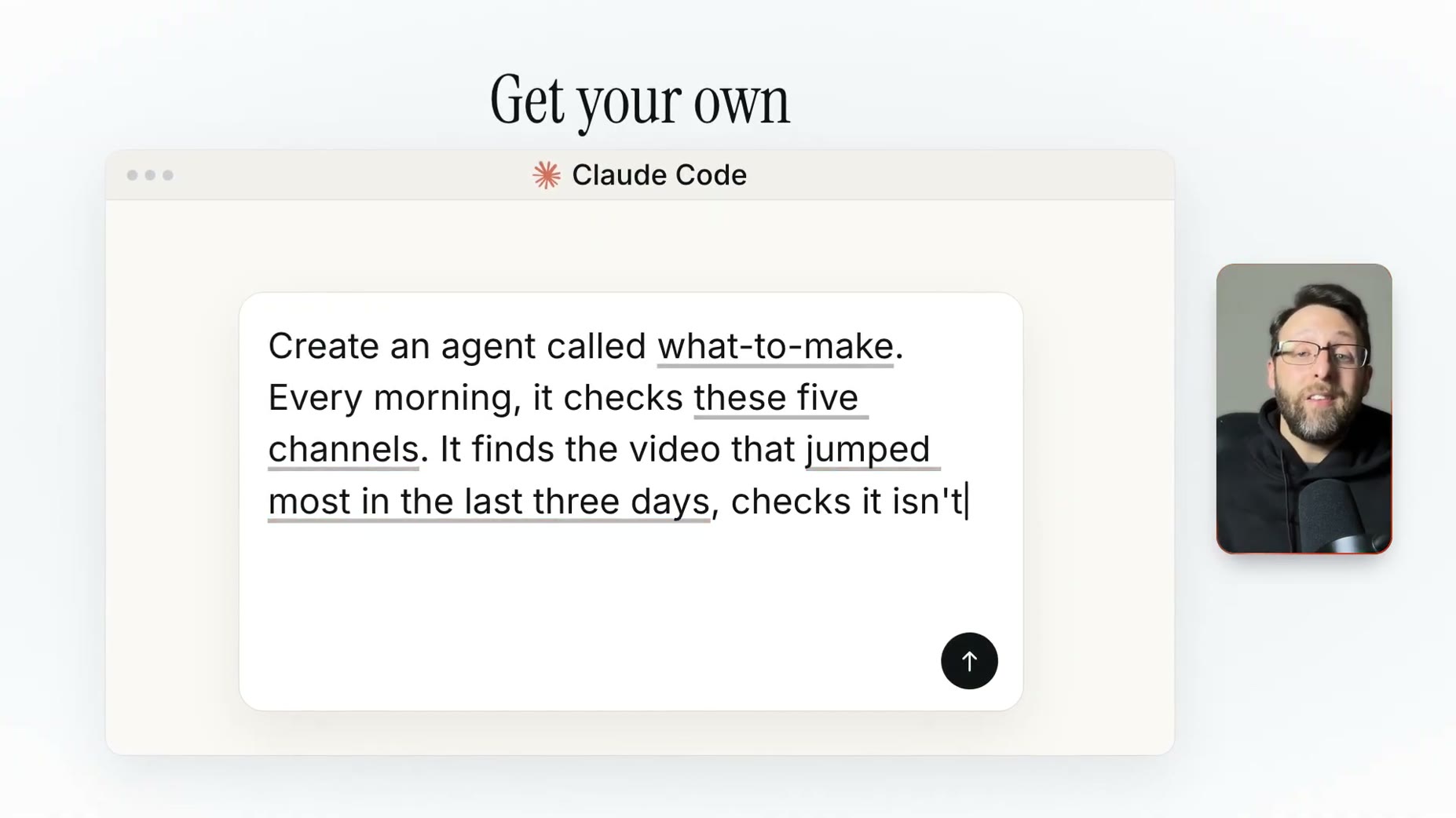
- PROMPT (04:23): "Create an agent called what-to-make. Every morning, it checks these five channels, finds the video that jumped most in the last three days, checks it isn't something I've already made, and sends me one video idea with a title and an opening line." [04:23]
- Wiring: Claude Code wrote the scripts that pull the numbers into the dashboard, and they refresh every four hours, with Claude also pulling email list numbers. [02:20]
- Wiring: every dashboard tab has a panel called This Week's Focus that tells the creator in plain words what to work on next. [02:34]
- Wiring: to schedule the second agent, type /schedule in Claude Code, the command for running a job on a timer, which runs in the cloud so the laptop can be closed. [04:36]
- Wiring: to let Claude see email, connect Gmail through the Claude app on the connectors page, a connector being how Claude gets permission to use a tool like Gmail. [05:42]
- Wiring: the repeatable loop for every agent is describe a job, connect one tool, put it on a schedule. [06:22]
- Advice: start small by building one dashboard tab for the place checked most, then add the next tab once the first one works. [03:14]
- Cost: Claude Code needs a paid Claude plan because the free plan does not include it. [01:46]
- Limitation: the dashboard doesn't decide its own steps; it runs the same scripts on a timer, and Claude only steps in for a few of the jobs. [02:46]
- Limitation: 'it can only read' is an instruction written into the prompt, not a technical lock, and the presenter says he'd let the agent do summaries and write replies himself. [05:52]
- Context: a study (Mark et al., CHI 2016) of 40 office workers found they check email 77 times a day on average. [05:05]
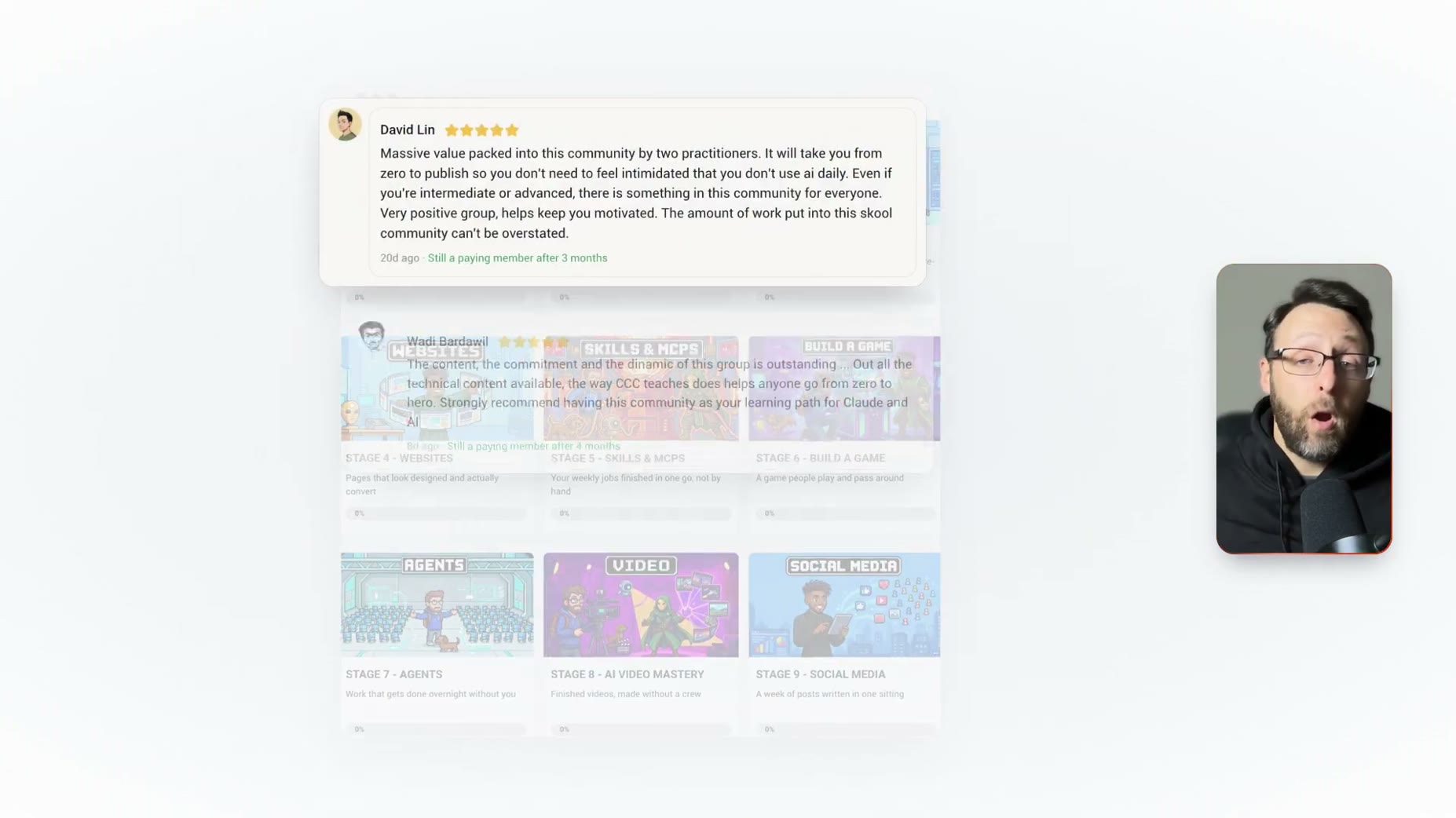
- Promo: a Skool community page for 'Claude Code Club' is shown, described as private. [06:59]
- Promo: Claude Code Club has 9.8k members and costs $9 per month, offering 'Master Claude Code in 45 Days + All My Resources'. [06:59]
- Promo: the community is described as the number one community for learning Claude Code and making money with it, taught by a Forbes 30 Under 30 and Y Combinator alumnus. [06:59]
- Promo: community content includes Stage 7 Agents (work done overnight), Stage 8 AI Video Mastery (finished videos without a crew), and Stage 9 Social Media (a week of posts written in one sitting). [06:59]
- Promo: a review from David Lin, a paying member for 3 months as of 20 days ago, says the community takes members from zero to published and suits beginners through advanced users. [07:01]
- Promo: the presenter points viewers to another video showing how he turned Claude Code into his video editor. [07:04]
- It says the video to make is three Claude prompts for a $10,000 website.
- It's only $9, the link's in the description.
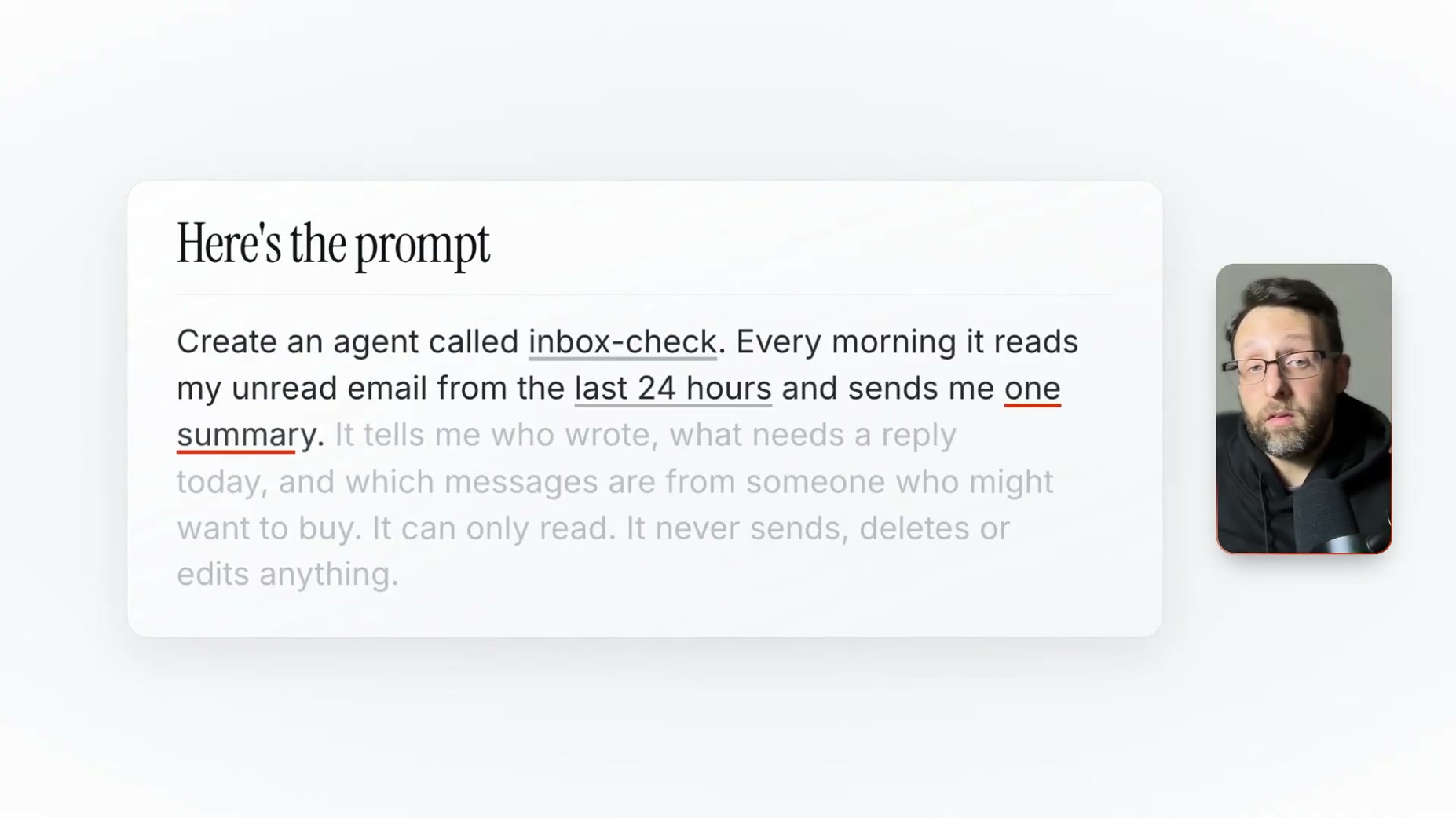
Create an agent called inbox-check. Every morning it reads my unread email from the last 24 hours and sends me one summary. It tells me who wrote, what needs a reply today, and which messages are from someone who might want to buy. It can only read. It never sends, deletes or edits anything.
name: weekly-recap
description: Writes a short summary of Duncan's week. Use when Duncan asks for a weekly recap...
You write one short summary of Duncan's last 7 days. This is your only job.
## Where to look
Read only what you need. Stop when you have enough.
Build me one dashboard page with a tab for each place I check my numbers. My places are Instagram, YouTube and my email list.
Create an agent called what-to-make. Every morning, it checks these five channels. It finds the video that jumped most in the last three days, checks it isn't[...]
How this brief was shaped: Personal AI Build / System Demo · confidence Medium
Transcript names three specific Claude agents being built with exact plain-English prompts for each, a creator who says he has never coded, and a Claude Code text-file agent structure (name, job, rules) plus a cross-platform dashboard demo, matching a system build you can replicate from the words spoken. The OCR sample shows an unrelated Python video-compositing script at the same timestamp the narrator says no coding is needed, so it looks like mismatched or incidental footage rather than true on-screen evidence of the agents themselves.
The lens sets this brief's structure, never its facts — every claim is held to the same citation and fact-check standard.