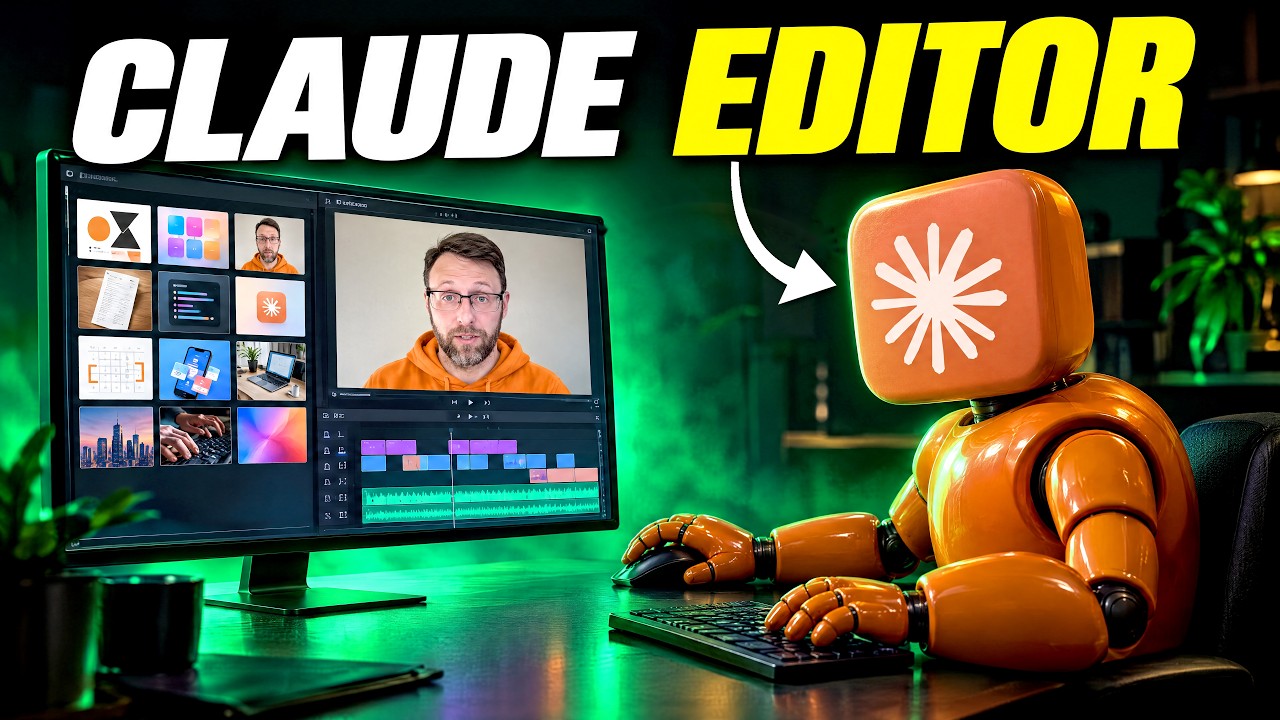
I taught Claude how to edit videos and it's INSANE
The creator built a six-step Claude Code system, saved as a skill called 'video-editor,' that handles scripting, editing, design, motion graphics, review, and feedback for making YouTube videos, and it edited this very video including its captions and motion graphics. Day to day it transcribes raw footage with Whisper, cuts retakes with FFmpeg, builds graphics as webpages rendered into video with a HeyGen tool called Hyperframes, and reviews its own cut frame by frame for mistakes before a human gives notes. It runs on Claude's Opus and Sonnet models, with the editing rules stored as files in a rules folder that the creator says took about five months of notes to build. This is a working system the creator uses on real videos, not a one-off demo, though they say it keeps improving with each use.
System does: Claude Code edited this entire video, including captions and motion graphics. [00:00]
- System does: the creator says they didn't touch an editing timeline once while making this video. [00:12]
- System does: the creator stopped asking Claude for a finished video and instead gave it six jobs, one at a time. [00:23]
- Context: the creator says Claude models got a lot better, and they also built a better system for making polished videos. [01:14]
- Limitation: the creator stopped trying to one-shot everything because it was too much for Claude to handle and it made bad choices. [01:21]
+ 37 more takeaways
- Steps: the six jobs are scripting, editing, design, motion graphics, review, and feedback. [01:30]
- Stack: the six steps are saved into a Claude skill called 'video-editor', described as a safe set of instructions that teaches Claude one job and improves with use. [01:36]
- Step 1 (scripting): have Claude study the best videos in your topic, pull out the hooks and formats they use, and save them in a reusable library such as research/yt-hooks/library.md. [01:55]
- PROMPT (~02:06): ask Claude to find three videos in your niche that beat their channel's usual views, pull out the hooks and format, save them in a hook library, then write your scripts the same way. [02:06]
- Wiring: once the script is done, the creator reads it to camera, which is what produced this video. [02:16]
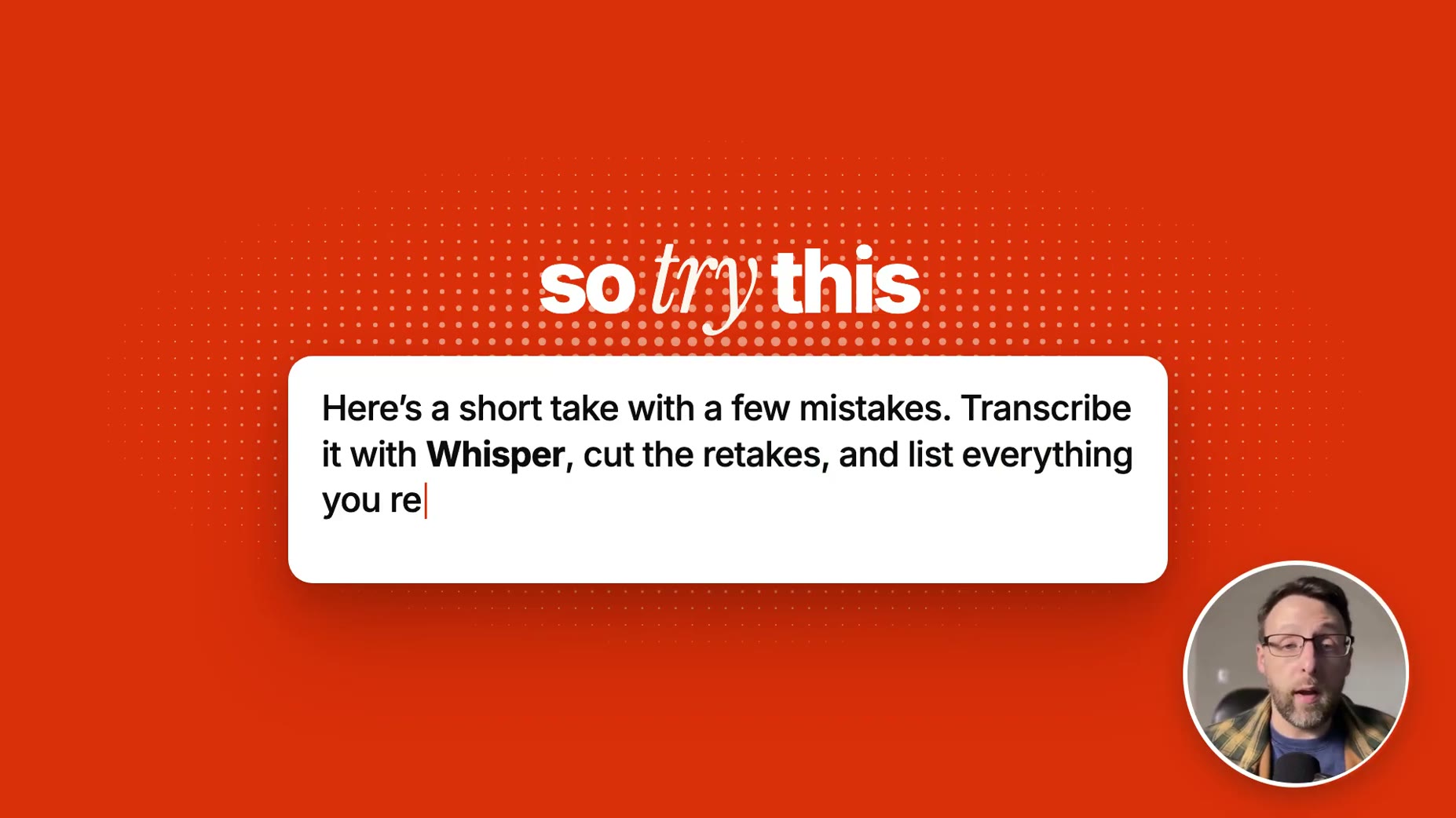
- Step 2 (editing): give Claude your raw footage and have it transcribe with Whisper, which Claude downloads from the internet on its own for free. [02:27]
- Wiring: Whisper creates a timestamp for every word spoken so Claude can understand how to perform the edit. [02:35]
- Wiring: Claude keeps the last clean take of every line and cuts the rest using the free program FFmpeg. [02:42]
- PROMPT (~02:50): film one short take with a few mistakes on purpose, give Claude the file, and have it transcribe with Whisper, cut the retakes, and list everything it removed. [02:50]
- Step 3 (design): asking Claude for graphics with no plan produces boring PowerPoint slides because nobody told it what good looks like. [03:04]
- Wiring: pick videos from editors you love, have Claude take screenshots of them, and ask what makes them work, such as how text moves in and how scenes transition. [03:12]
- Reference: prompt-motion.com is a gallery of motion graphics made with Claude where each example shows the exact prompt behind it. [03:23]
- Wiring: Claude needs a 'beat map,' a plan listing every idea in the script and what's on screen while it's said, built before any graphics since changing a plan is cheap but changing a finished graphic is costly. [03:34]
- Limitation: after viewer comments said too many graphics was hard to watch, the rule changed so each idea now gets one graphic that stays up long enough to read, instead of nearly every sentence getting its own. [03:52]
- Wiring: for long videos with dozens of graphics, the video is split into sections and each section is given to its own Claude subagent, a helper copy of Claude with one narrow job, so work happens on many things at once. [04:20]
- Stack: each graphic is built with code using a free HeyGen tool called Hyperframes that turns a webpage into real video. [04:38]
- Wiring: the same Hyperframes process is also how the word-by-word lighting captions are made. [04:38]
- Wiring: the system renders only four jobs at a time, and rendering runs overnight so the machine isn't bogged down during work hours. [05:15]
- Wiring: drafts are kept small at half size, 960x540, while giving notes, so they render faster than the full 1920x1080 quality. [05:22]
- Wiring: full quality renders only happen after the whole cut is approved. [05:29]
- Wiring: the suggested workflow is to build one graphic as a webpage first, review and fix it, then turn the rest into a storyboard, and only then convert it into video. [05:34]
- Step 5 (review): Claude checks 10 frames every second and looks for six mistakes, an animation playing twice, a graphic flashing for a split second, text landing too late to read, a graphic sitting on the creator's face, a repeated word, and lips drifting out of sync with the voice. [05:51]
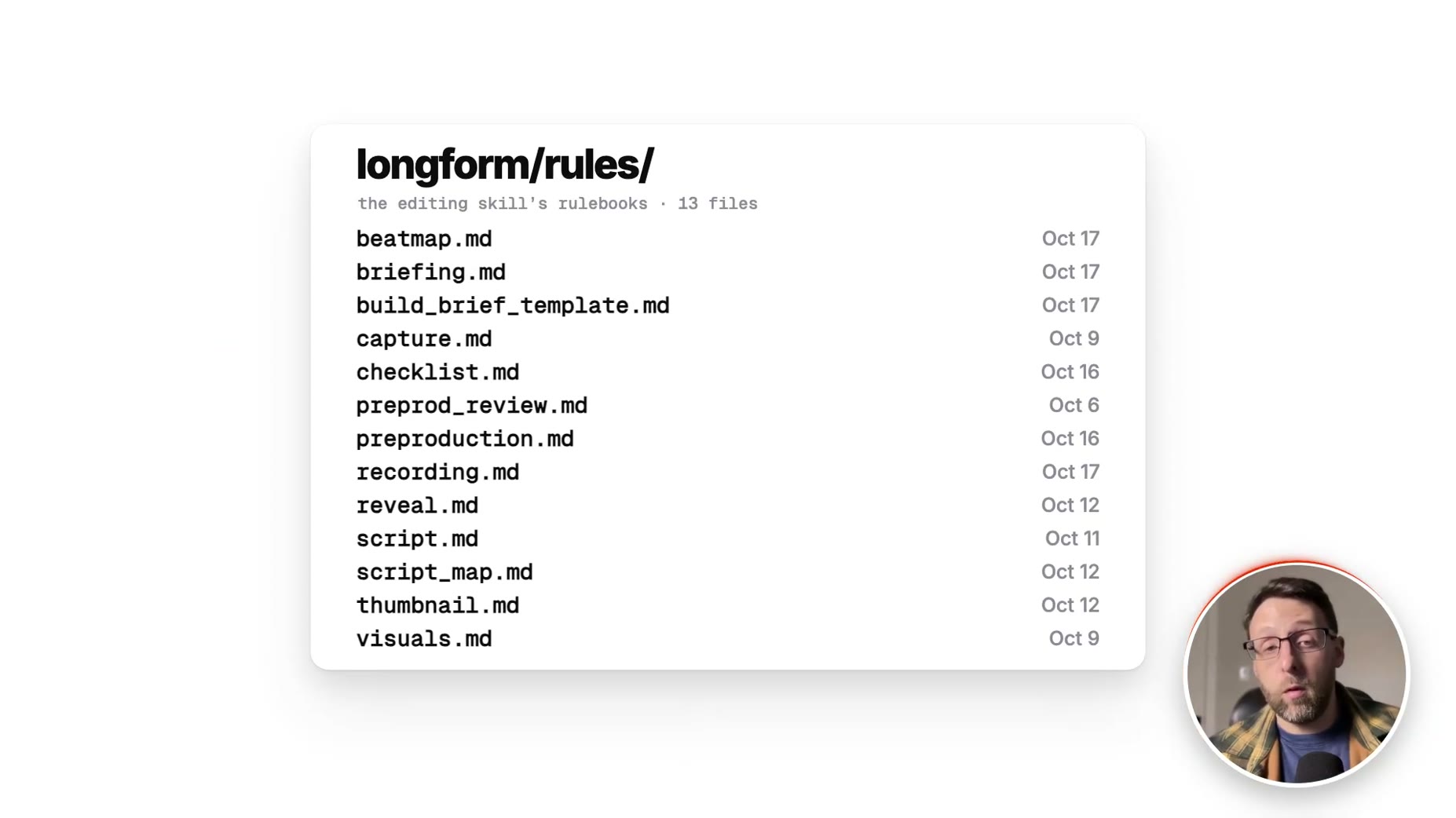
- Stack: feedback from each review round is saved to improve the editing skill, with the rulebook stored as 13 files in a longform/rules/ folder: beatmap.md, briefing.md, build_brief_template.md, capture.md, checklist.md, preprod_review.md, preproduction.md, recording.md, reveal.md, script.md, script_map.md, thumbnail.md, visuals.md. [06:17]
- Step 6 (feedback): when Claude fixes a mistake, it also finds and rewrites the instruction that should have prevented it, so future videos avoid the same problem. [06:31]
- Limitation: the creator says no single prompt made this video, about five months of notes did. [06:31]
- Cost: this video used about 600 million tokens total. [07:06]
- Cost: roughly 100 million of those tokens were used on Opus for planning and design direction. [07:06]
- Cost: about 500 million tokens were used on Sonnet for building. [07:06]
- Cost: the token usage cost about $160 at API prices, covered by the Claude Max 20X plan. [07:06]
- Cost: this video took about six hours of Claude work. [07:06]
- Cost: the creator's first AI video used about 1.4 billion tokens and took about 12 hours. [07:06]
- Cost: this video used less than half the tokens and about half the hours of the first one, by reusing graphics, tools, and the skill. [07:37]
- Context: traditional video editing requires writing a script, mapping every beat, storyboarding, designing, animating each graphic, mixing audio, and adding sound effects. [07:57]
- Cost: when the creator edited video professionally, a video like this took three days to a week even working fast. [08:05]
- Limitation: the creator says this AI editing approach is the worst it will ever be, yet already good enough that they keep handing over more editing to AI. [08:10]
- Stack: a starter version of the editing skill, which cleans up recordings, adds word-by-word captions, builds simple graphics, and checks its own work, is available inside the Claude Code Club. [08:25]
- It's only $9 a month and the links in my description.
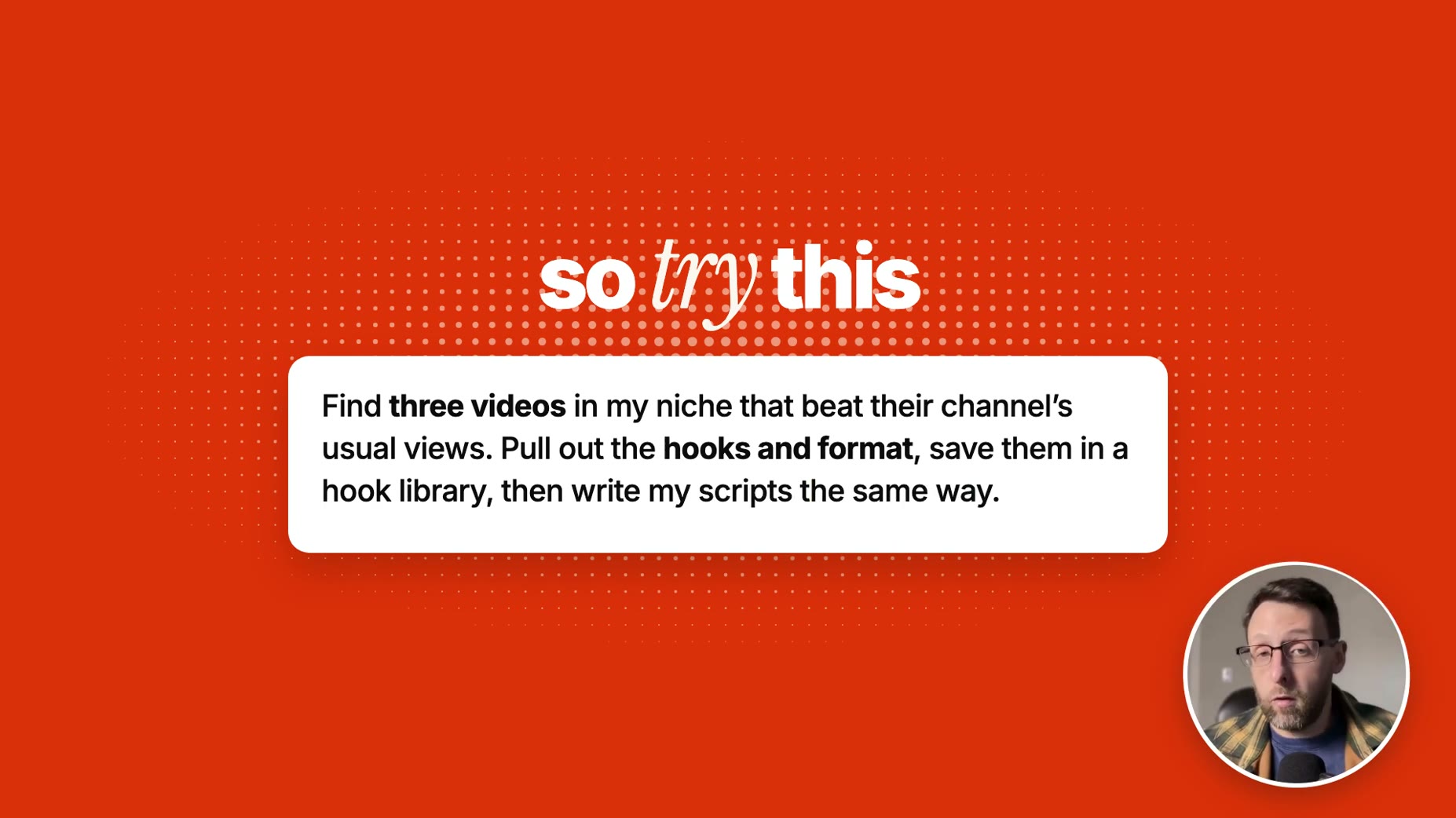
Find three videos in my niche that beat their channel's usual views. Pull out the hooks and format, save them in a hook library, then write my scripts the same way.
Here's a short take with a few mistakes. Transcribe it with Whisper, cut the retakes, and list everything you [...]
Here are screenshots of things I love. Write design guidelines from them, or mimic what you see.
L.props.kinetic_card.create(st,{
bg: false,
words:[
{word:'word',t:287.68},
{word:'by',t:287.88},
{word:'word',t:288.02},
t:{in:286.56,out:288.44} [...]Build one graphic as a webpage first. Then turn the rest into a storyboard so I can look at it and fix it. Only then turn it into video.
How this brief was shaped: Personal AI Build / System Demo · confidence Low
Transcript describes a six-step system where Claude Code is given one job at a time to edit a video (scripting, then transcribing raw footage with Whisper), and OCR shows an actual SKILL.md file with numbered, verbatim instructions plus a saved prompt library path, which is the on-screen prompt/system evidence this lens is built for.
The lens sets this brief's structure, never its facts — every claim is held to the same citation and fact-check standard.