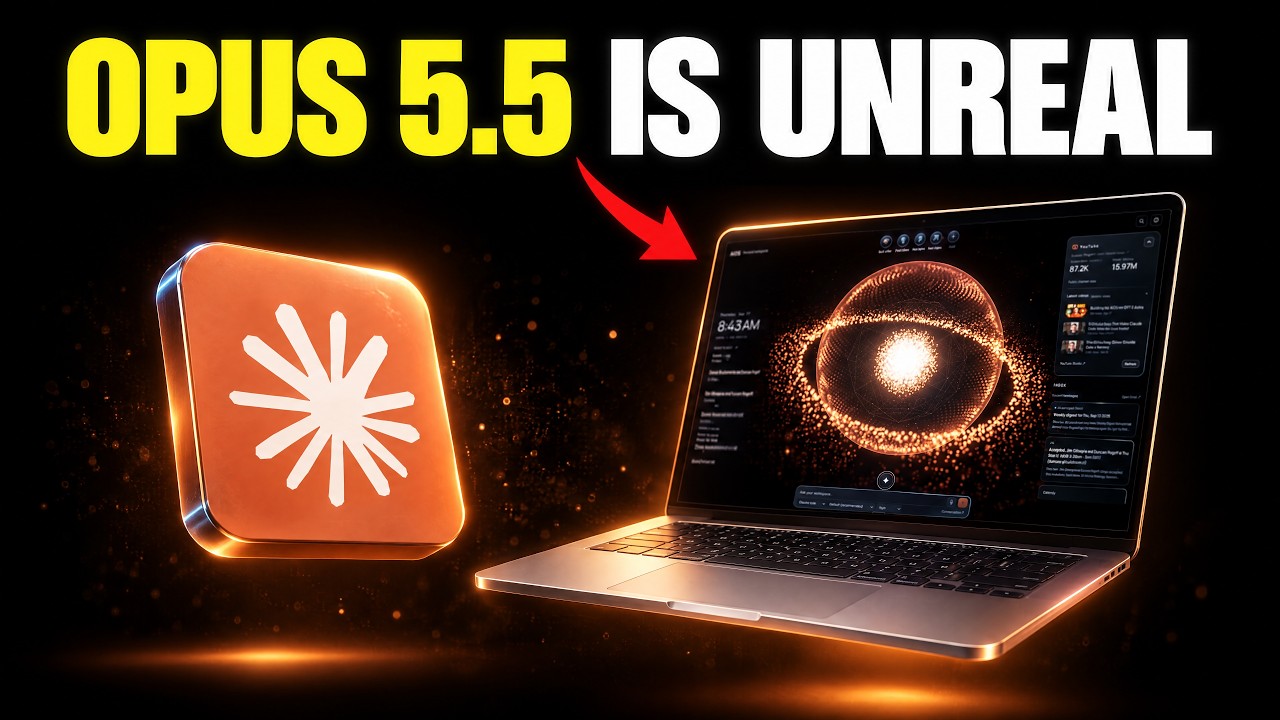
I Used Claude Opus 5.5 to Upgrade My NEW Agentic OS
This video documents an ongoing build of the presenter's AIOS (Agentic Operating System), a Claude Code/Codex based system he says he already uses to run his business, which a prior update had already given YouTube stats tracking, an offer builder, and an image generation studio. In this session he uses Claude Opus 5.5 inside Claude Code to extend the Studio so it can call the pay-as-you-go Higgsfield API for cheaper image and video generation, alongside the Studio's existing single model, GPT Image 2.5. The Higgsfield integration is shown being planned and partly built live, not demonstrated as a finished daily-use feature: the presenter and Claude Code work through API key setup, model-list checks, and a phased plan (Studio using the API directly, then the API as a fallback if plugin credits run low) that is still in progress by the video's end. Earlier segments cover Anthropic's Claude Opus 5.5 release claims (used to justify doing the build now) and a separate 'Offer Builder' skill that drafts a business offer from connected files, both distinct from the Studio work.
System does (01:20): The AIOS (Agentic operating system) is the system the presenter uses to run his business, built out over time.
- System does (01:33): A prior video update had already added YouTube stats tracking and an image generation studio to the AIOS.
- System does (08:05): The goal for today's session is to generate images directly inside the Studio so users avoid bouncing back and forth between different tools.
- Opus 5.5 (00:04): Anthropic introduced Claude Opus 5.5, the first model in the new Claude 5.5 family, performing at Claude Fable 5.1 level on most work but costing 40% less to run than Opus 5.
- Opus 5.5 (00:04): One early tester completed a 680,000-line code migration in less than a day, work that would have taken an engineering team weeks.
+ 67 more takeaways
- Opus 5.5 (00:04): Asked to cut load times across every page of a web app, Opus 5.5 succeeded 39 of 40 times, while Opus 5 made smaller improvements that also altered the app's behavior.
- Opus 5.5 (00:04): It scores as the strongest-performing model to date on Anthropic's automated behavioral audit.
- Opus 5.5 (00:16): At default effort, Opus 5.5 beats Opus 5 at max effort for about a fifth of the cost, and matches GPT-6 Astra at about 40% of the cost.
- Opus 5.5 (00:08): A benchmark comparison shown includes Opus 5.5, Fable 5.1, Opus 5, GPT-6 Astra, and GPT-5.6 Sol across tests like Terminal-Bench 4.0, GDPval-AA v2.1, and Humanity's Last Exam.
- Note (00:04): The presenter states the video is not really about the benchmarks, but about upgrading his AIOS.
- Stack (06:05): The presenter works inside Claude Code within the AIOS folder using Claude Opus 5.5 set to medium level of effort.
- Stack (10:19): The Studio's image creation currently supports one model, GPT Image 2.5, with two styles (Sunburst and Flare), plus ratio, quality, size, 1-4 images, and up to 16 reference images, with an Estimate Cost button.
- Stack (08:14): Generated images in the Studio can be reused, downloaded, and their prompts and settings reused via 'Add to favorites' and 'Download original.'
- Stack (10:19): Key Studio files are assets/studio.js, index.html, lib/studio.js, lib/codex-higgsfield.js, lib/higgsfield.js, and rubric-agentic-os/assets/studio-overlay.js, with servers running on ports 50000 and 5065.
- Stack (10:53): The Higgsfield API skill repo higgsfield-api-skill is credited to Chase (YouTube channel Chase-H-AI, github user cth9191), an independent community skill, not an official Higgsfield product.
- Stack (11:25): The Higgsfield API does not include GPT Image 2.5, but offers Soul 2, Soul Cinema, Grok Image 2.0, Recraft 4.1, and Marketing Studio for images, and Seedance 2.0/2.5, Kling 3.0 (up to 4K), and Wan 3.0 for video.
- Stack (02:23): A 'build your offer' skill released with the kit searches connected memory to identify and generate an ideal offer, demonstrated using the Claude Code Club as the example.
- PROMPT (01:48): install step instructs the user to paste into Claude Code: 'Read README.md and follow its instructions to setup BuildRoom AIOS for me.'
- PROMPT/config (10:02): example .env line format shown is HIGGSFIELD_API_KEY=kaiui7y23fl2ir23, added to the env file and saved to connect Higgsfield to Claude.
- Install (00:00-00:04 window): Installing the AIOS requires a Mac with Apple Silicon (M1 or newer) and either Claude Code or Codex installed and signed in.
- Install (02:00): The AIOS includes one-click 'launch skills' that, on first install, automatically detect and import Claude and Codex skills already on the user's machine.
- Install (09:47): The presenter shows how to reveal hidden folders on a Mac using Shift+Command+Period to find where API keys are stored.
- Install (09:43): To add an API key, the user edits the .env file in Claude Code's config folder, reached via that hidden-folder shortcut.
- Install (09:12): The presenter created an API key on open.higgsfield.ai/api-keys, showed it on screen, and planned to delete it afterward.
- Install (09:23): Key-creation steps shown: click Create API key, name it something like 'aios test,' and create the key.
- Install (09:29): The presenter notes the API key is blurred in the UI shown but fully visible in the actual dashboard.
- Install (11:13): For Codex, the Higgsfield API skill is installed by cloning github.com/cth9191/higgsfield-api-skill into ~/.codex/skills/higgsfield-api.
- Install (11:15): First-time setup requires creating API credentials in the Higgsfield Console (the skill cannot issue a key itself) plus installing dependencies from requirements.txt.
- Wiring (06:21): The presenter instructs Claude Code to familiarize itself with the project, specifically the image and video studio being updated that day.
- Wiring (06:38): Claude Code ran a command to read BUILDROOM-AIOS-HANDOFF.md as part of that familiarization.
- Wiring (07:53): The presenter wants to integrate the Higgsfield API, noting it offers much cheaper image and video generation without a subscription.
- Wiring (08:22): The presenter navigates to console.higgsfield.ai to show where Higgsfield API access is located.
- Wiring (11:17): The skill lets an agent request a model by name or describe a goal and have the agent recommend a model based on current model documentation.
- Wiring (11:25): Claude verified the HIGGSFIELD_API_KEY in ~/.claude/.env works by querying a fake job's status, getting 'not found' for the real key versus 'invalid credentials' for a made-up key.
- Wiring: Studio can read the user's Higgsfield plugin balance (157.34 credits), letting it detect an out-of-credits state.
- Wiring: Claude confirmed the plugin has generate_video and estimate_video_cost tools and pulled their exact input formats (marker 15:09).
- Decision (11:41 window): Claude presented two integration options, Option A (a user-selected second source with a Plugin/API switch) or Option B (API as fallback only, asking permission before switching models), and recommended Option A for simplicity and video support.
- Decision (13:22): The user chose to make the API fallback-only, referencing github.com/cth9191/higgsfield-api-skill, and wants all models utilized; the Higgsfield plugin exposes about 70 models (33 image) though Studio currently uses only one.
- Plan: Phase 1 adds a model picker with Image and Video groups (Seedance, Kling 3.0, Wan 3.0, Hailuo), with settings for ratio, quality, duration, and start/end frames; GPT Image 2.5 stays the default and references remain images-only for now.
- Plan: Phase 2 makes the API fallback-only; before each job Studio compares plugin credits to the job price, and if credits are too low it asks the user once whether to use the API (e.g. Seedance 2.5) rather than switching automatically.
- Wiring (14:31): The fallback only works for models the API also has; for a plugin-only model like GPT Image 2.5, Studio instead shows a list of API models to pick from.
- Wiring (15:11): Findings written to the plan (without spending credits) show the plugin has 74 models (34 image, 40 video) versus Studio's current use of just one.
- Wiring (15:11): Studio can read the full plugin model list and settings live, so new Higgsfield models appear automatically.
- Wiring (15:11): The plugin can generate videos and report credits, with 157.34 available at the time.
- Wiring (15:11): The API key works but covers only some plugin models: Soul 2, Soul Cinema, Grok Image, Recraft, Seedance, Kling 3.0, Wan 3.0, and Hailuo.
- Wiring (16:01): Video creation was added to the model picker with Image and Video groups, and GPT Image 2.5 stays the default.
- Wiring (15:59): Recommended next steps are to start Phase 1 now, copy the API key to ~/.codex/.env per project rules (as was done for a prior YouTube key), and later run one test image through the API to learn which web address it sends files from, since Studio blocks downloads from unknown addresses.
- Wiring (15:57): The plan is to start Phase 1 (API integration) and Phase 2 (API as fallback only) in parallel using sub-agents.
- Wiring (16:44): The user suggested adding a favorites feature so users can star favorite models (e.g. GPT Image 2, Kling) instead of searching the full model list each time.
- Cost (00:44): The presenter says he has had a lot of problems with Higgsfield so far because of the pricing.
- Cost (00:48): Under the old pricing model, users had to pay for a subscription plus pay for additional credits.
- Cost: Higgsfield subscription plans included a $47/month Individual plan (1,200 credits/mo, ~600 Nano Banana Pro generations, ~160 Kling 3.0 videos) and a $99/month Ultra plan (3,000 credits/mo, ~1,500 Nano Banana Pro generations, ~400 Kling 3.0 videos).
- Cost (00:53): The speaker says Higgsfield 'just fixed all of that' referring to the pricing/credits problem.
- Cost (00:56): Higgsfield released an API (console.higgsfield.ai) so users can pay per use instead of a subscription.
- Cost (01:00): The API offers up to 50% off; topping up $200 gets a 7-day max discount, and $1,000 gets a 30-day max discount, on models like Seedance and Kling.
- Cost (01:02): Listed API model pricing included Seedance 2.5 from $0.1748/s, Kling 3.0 from $0.1196/s, Kling 2.6 from $0.0714/s, Kling 2.5 from $0.0595/s, and Kling 2.1 (Omni) from $0.0357/s, with max-discount prices as low as $0.021/s.
- Cost (01:42): The presenter prefers using the Higgsfield API directly over the subscription because it is significantly cheaper.
- Cost (08:24): The Higgsfield explore model pricing is listed from $0.1748/s to $0.2057/s, supporting videos up to 30 seconds.
- Cost (08:37): Signing up for the Higgsfield API with a business email reportedly gives $15 of free credit plus 15% off all models.
- Cost (08:48): Higgsfield was offering up to 50% off for 7 days on select discounted models to celebrate the API launch.
- Cost (08:59): The presenter says Seedance 2.5 is like the best video model out there right now.
- Cost (09:06): Users can select up to three models of their choosing to claim the discount.
- Cost (11:25): A price check for one Soul2 image came back as 0.05 credits, about $0.004, and this pricing call itself was free.
- Limitation (10:19): The Studio cannot yet make videos, only import and play them, has no project folders or saved prompt presets, and its ratio menu shows only 5 of the 15 ratios the model supports.
- Limitation (10:19): The notes say paid generation is untested, but the job log shows one real generation finished on Sept 17, meaning the notes are out of date.
- Limitation (11:25): One version of the API balance claim states it is pay-as-you-go with its own separate balance that likely does not share credits with the Higgsfield app plan, and there is no API call to read that remaining balance.
- Limitation (11:41 window): A conflicting statement later in the session says the Higgsfield API does share credits with the app plan, so once app credits run out the API only works if its own balance has funds, checkable at console.higgsfield.ai.
- Limitation (11:41 window): Because the API lacks GPT Image 2.5, a same-job fallback to the API is not possible if the plugin fails.
- Limitation: The model-list API call failed, so Claude had to probe other plugin tool names to find equivalent data.
- Limitation (15:07): The presenter advises against giving Claude too many tasks in parallel, recommending separate sub-agents or finishing one task before starting the next, since too many tasks at once causes it to lose focus.
- Note (14:59): The presenter wants the Studio UI updated to mimic Higgsfield's own UI, moving the chat box to the bottom to overlay generation thumbnails and changing the neon green generate button to the brand's orange color.
- Note: A separate 'Offer Builder' skill was shown searching connected memory (files like 'ccc overview' and 'ccc audience') to draft a business offer for the Claude Code Club example, distinct from the image/video Studio work.
How this brief was shaped: Personal AI Build / System Demo · confidence Medium
Transcript shows the creator upgrading his own agentic operating system with the Higsfield API inside a studio setup he built, and OCR shows API keys, a starter kit install, and a model release announcement, matching a personal system build and demo rather than a general coding tutorial.
The lens sets this brief's structure, never its facts — every claim is held to the same citation and fact-check standard.