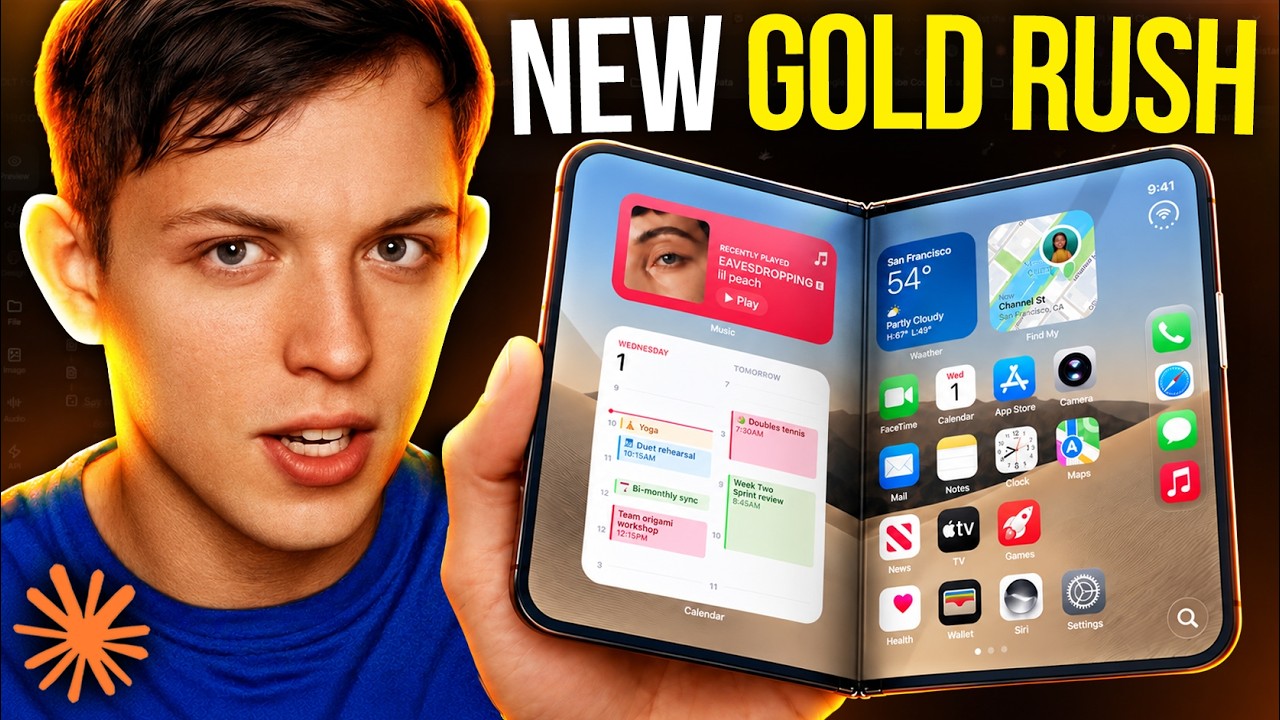
Build Native iPhone Duo Apps with Opus 5.5 (Huge Opportunity)
This video documents a creator building a demo iOS app for a concept device called the iPhone Duo, later renamed 'Native Board.' The app lets a user create a document (text and drawing) on one side of the dual screen while searching, generating, and dragging in image stickers with backgrounds removed on the other side, with boards synced and shareable in real time via a live link. The build uses Claude Opus 5.5 inside Claude Code for both front end and back end, Swift and Xcode for the native iOS app and iPhone Duo simulator, SerpApi for image search, remove.bg for background removal, and Convex for the real-time database, backend functions, and share links. This is a demo built live for the video using a handful of prompts, not a system the creator describes using day to day.
System does: the creator uses Claude Opus 5.5 to build an iOS app for a concept device called the iPhone Duo. [00:00]
- Claim (promotional): the presenter says Anthropic just released the best coding model in the world that is also affordable. [00:18]
- Claim: the presenter says anyone can build a high quality app with Claude by following four steps, even without coding experience. [00:38]
- Step 1: download everything needed, one hardware item and three software programs. [00:47]
- Prerequisite hardware: a Mac; the presenter uses a MacBook Pro M4 but says any MacBook M1 or newer should work. [01:00]
+ 83 more takeaways
- Prerequisite software: the Claude desktop app, found by searching Google for 'download Claude app desktop.' [01:11]
- Prerequisite software: Xcode, needed to test the app on a simulator including an iPhone Duo simulator. [01:34]
- Context: the presenter opens an app made the day before, a clone of Muse, inside the iPhone Duo simulator. [01:55]
- Stack: Xcode must be downloaded from the Apple App Store to get the iOS simulator. [02:05]
- Wiring: after installing Xcode, the user navigates to the Claude Code tab within Claude. [02:24]
- Step: inside Claude Code, the user runs a prompt asking it to get the simulator working, build an app, run the code, and let them test it on the simulator. [02:27]
- Detail: the prompt specifies using version 27.1 beta because it adds the Duo simulator. [02:43]
- Stack: part of the simulator setup includes a feature called Device Hub. [02:52]
- On-screen detail: Device Hub's simulator picker lists iOS simulators and real devices, including iPhone 17 Pro (iOS 26.1) and the iPhone Duo (iOS 27.1). [03:00]
- Requirement: iOS 27.1 is required to get the iPhone Duo simulator running. [03:04]
- Stack: Convex is used as the database, but it is optional and not required to start building the app. [03:07]
- Stack rationale: Convex lets you store data so a web app could later share the same database. [03:17]
- Stack: the minimum stack needed is Claude Code plus Xcode downloaded on your computer. [03:29]
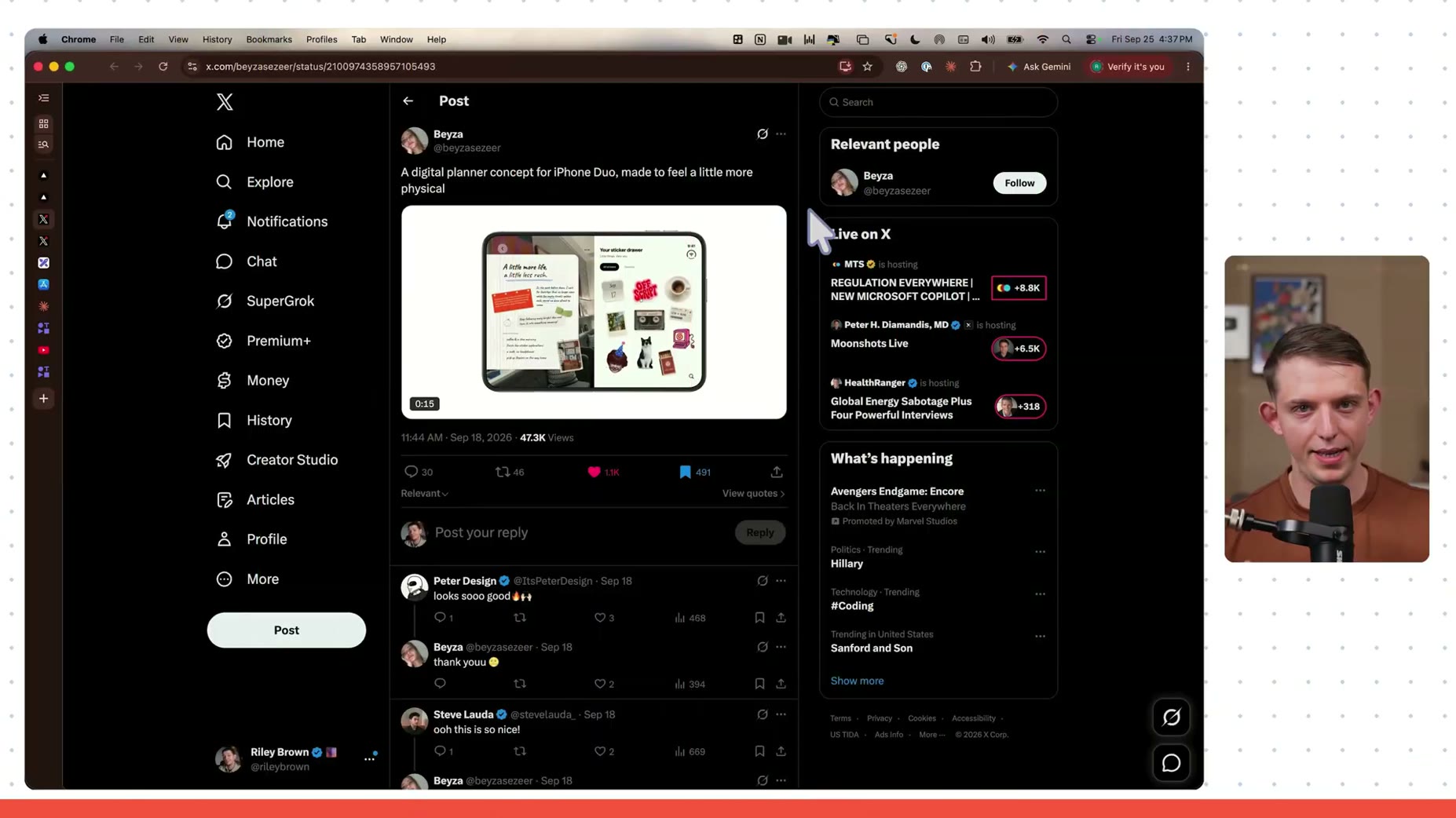
- Inspiration: the app idea came from a Twitter post by user Beyza (@beyzasezeer) showing an iPhone Duo digital planner with a journal on the left screen and a sticker drawer on the right screen. [03:43]
- System does (planned): the planned app, called Agent Native, is meant to work like the creator's existing desktop app, which can search the internet, generate images, remove backgrounds, paste results into Excalidraw, and generate stickers of named people such as Sam Altman. [04:04]
- PROMPT (05:47): "We are about to build an iPhone duo app in Swift. Please make a basic Hello World app, build it, and then run it in the simulator."
- Stack: Swift is the native language used for iOS. [06:06]
- Result: the Hello World app was confirmed running on the iPhone simulator. [06:30]
- Goal: the plan is to build an app made specifically for the iPhone Duo. [06:53]
- Step: Claude will search the internet to figure out how to design apps for the new iPhone Duo. [06:56]
- Feature spec: the app should look good horizontally and let the user make documents with stickers using real images. [07:02]
- Feature spec: the right side panel is for stickers, created by uploading a photo or searching an image and using the removebg API. [07:12]
- Feature spec: the left side panel is for creating documents, styled like Excalidraw with drawing and text typing. [07:12]
- Model choice: the build uses Claude Opus 5.5 with a Medium effort/Hi setting for the first prompt, which uses more tokens but is still not very expensive. [07:22]
- Wiring: everything is stored in a local database initially, with Convex planned to move it to a cloud database later, since a purely local database means no one else on a team plan could see the data. [07:47]
- Stack: Google Search Engine API via SerpAPI is used, with an API key obtained, to generate images. [08:23]
- Stack: remove.bg is used to remove backgrounds from images. [08:36]
- Cost: the presenter pays roughly five to ten dollars a month for unlimited image generation on remove.bg. [08:41]
- Limitation: the presenter pastes API keys directly into the Claude prompt, acknowledging this isn't best practice but doing it anyway. [09:09]
- Cost/time: building the app took about 37 minutes to finish. [09:23]
- Test: the presenter tests the app by typing the name 'Claude 5.5' into a document. [09:45]
- Test: double tapping the screen allows selecting 'Claude Opus 5.5' text with the same font. [09:52]
- Test: the presenter searches for 'Dario Amo Dai' and turns the result into a sticker. [10:08]
- Claim: the presenter notes the app was generated in a single prompt. [10:08]
- Claim: the sticker app and iPhone Duo app were generated in a single prompt. [10:20]
- Test: the user created a Claude logo sticker. [10:39]
- Test: the user dragged the Claude logo sticker into the board. [10:42]
- Wiring: app data is currently stored only locally. [10:55]
- Goal: the goal is to move data to the cloud so documents can be shared with other people. [11:07]
- Claim: Convex, the video's sponsor, is described as the easiest way to add a cloud database to a Claude-built app. [11:12]
- Stack: there is an official Convex plugin for Claude Code that sets up a real database, backend functions, and file storage once installed. [11:30]
- Feature: Convex provides real-time syncing and caching automatically, so no refresh or extra code is needed when data changes. [11:43]
- Feature: the Convex plugin lets the agent see the app's structure, logs, and backend functions to diagnose and fix issues. [12:02]
- Step: sign up at convex.dev. [12:44]
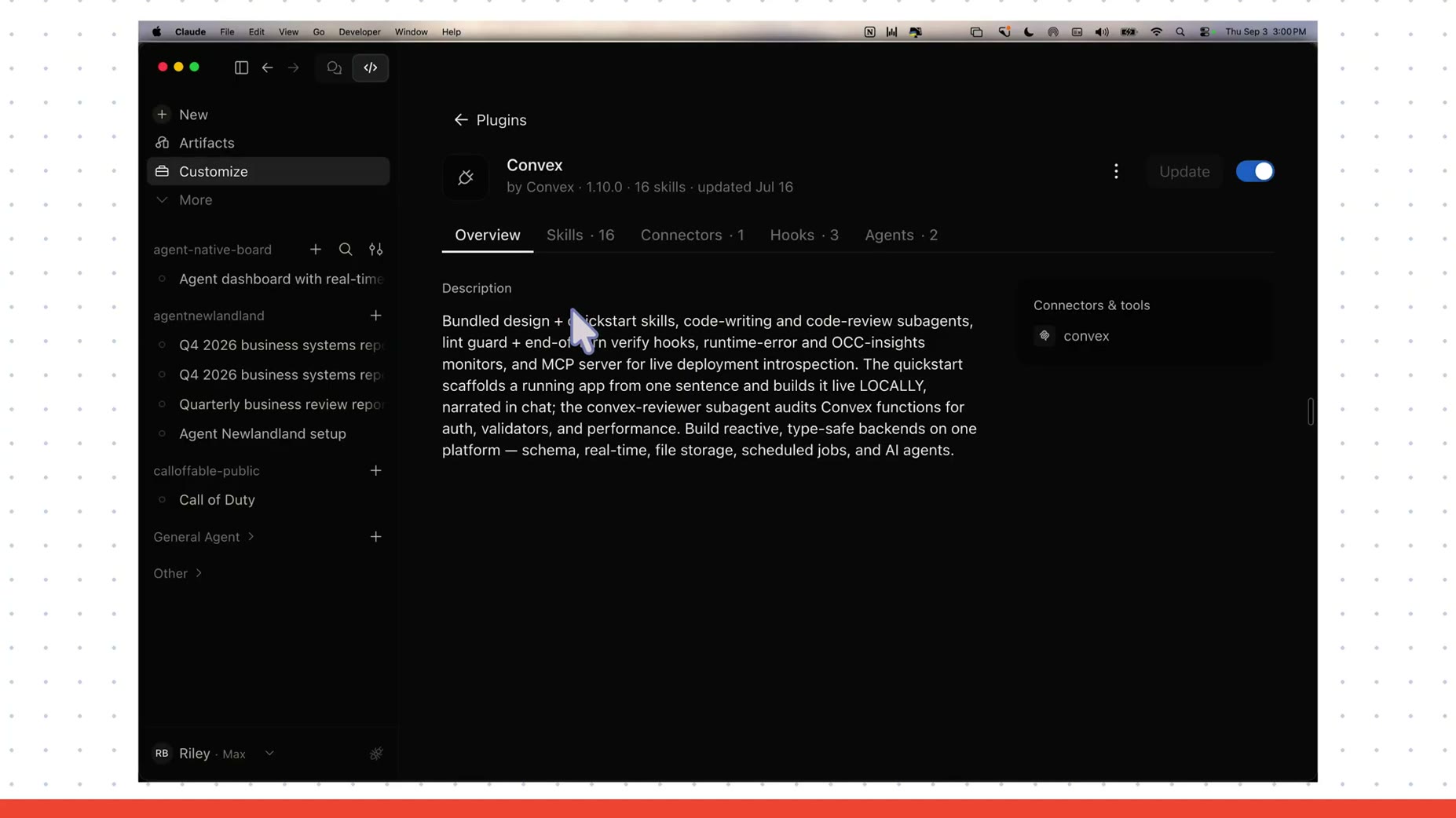
- Step: in Claude Code, go to Customize, then Plugins, then Discover, to find the Convex plugin by Convex. [12:48]
- Stack: the Convex plugin by Convex is version 1.10.0 with 16 skills. [13:04]
- Stack: the plugin's skills include a quickstart, a convex-reviewer subagent that audits functions for auth, validators, and performance, lint guard and end-of-turn verify hooks, runtime error and OCC-insights monitors, and an MCP server for live deployment introspection. [13:04]
- Wiring: everything is saved in a local SwiftData database structured to map onto Convex tables. [13:10]
- Wiring: API keys are stored in macOS Keychain and copied into the app at build time, never in source code. [13:10]
- Cost: the starter stickers used 11 of the 50 free monthly remove.bg calls. [13:10]
- Step: the prompt asked Claude Code to make the app's data a real-time database to support a future team plan and shareable boards via link or code. [13:11]
- Context: the speaker stepped away to eat while Claude Code worked on setting up the database. [13:50]
- Cost/time: the session ran 57 minutes 27 seconds and used 116.1k tokens. [13:59]
- Result: drawing and real-time sync were confirmed working on the Duo. [13:59]
- Limitation: a bug was found where a double-tap registers as a single tap and deletes the just-opened text box. [13:59]
- Result: the session finished and a new document can be created just like before, feeling the same. [14:21]
- Result: app creation finished; the creator opens Scrapbook to test it, noting it feels the same as before.
- Test: demonstrates creating a sticker by typing 'Codex logo,' searching it, and dragging it onto the canvas, then repeating for the ChatGPT logo and Sam Altman.
- Feature: the database integration with Convex now allows creating a share link, shown via a 'Share this board' modal with a QR code, board code, and shareable URL.
- Test: pastes the convex.site share link into Chrome and confirms the shared board loads and syncs in real time, with edits on one device appearing on the other after clicking off.
- Cost/time: the app took about 50 minutes total to get working, after the initial prompt plus a follow-up prompt for database and share links.
- Limitation: the sharing view is view-only, though it can be shared with other people.
- Step: opens Claude Code again to request front-end changes, make the main page less tacky, add an animation when turning an image into a sticker, remove the top text, reduce the number of buttons to essentially one full-screen button, and rename the app to 'Native Board.'
- Step: begins a request about changing the search bar, cut off at the end of the window. [18:05]
- Result: the app is renamed to 'Native Board.' [18:01]
- Feature: the search bar is changed so typing a name shows the names of matching stickers. [18:07]
- Wiring: generated images are saved in the database under the exact search term used, for example 'Sam Altman.' [18:23]
- Feature: typing a sticker name filters existing saved stickers, and pressing enter generates a new image instead. [18:35]
- Step: the speaker calls these 'four big changes' before sending them for the AI to build. [18:53]
- Test: typing 'C' in the search bar pops up ChatGPT, Claude, and Codex stickers from existing saved images. [19:53]
- On-screen detail: the board is shared via a live link at cheery-mosquito-222.convex.site/s/6XED-DDx3, which updates in real time because the app uses Convex. [20:37]
- Step: the speaker decides to make the app open source by creating a new public repo. [21:15]
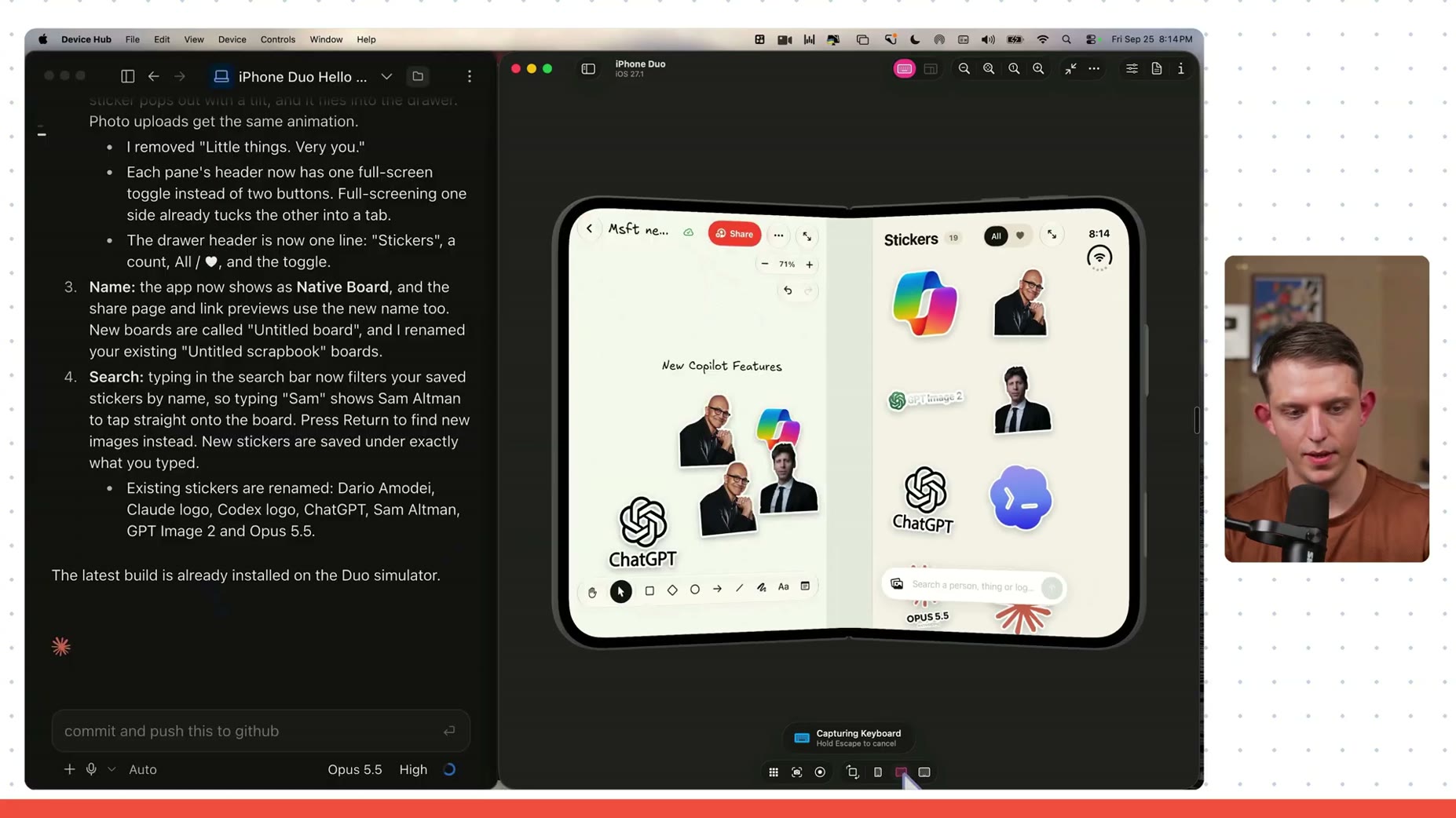
- Feature: each sticker pane header now has one full-screen toggle instead of two buttons, and full-screening one side tucks the other into a tab. [21:08]
- Feature: typing in the search bar now filters saved stickers by name, such as typing 'Sam' to show Sam Altman, and pressing Return searches for new images instead. [21:08]
- Result: existing stickers were renamed to Dario Amodei, Claude logo, Codex logo, ChatGPT, Sam Altman, GPT Image 2, and Opus 5.5. [21:08]
- Result: the app now shows as 'Native Board,' with new boards called 'Untitled board.' [21:18]
- Step: the app is being made open source as a public repo on Riley Brown's GitHub, with setup instructions assuming the user has no Xcode installed. [21:18]
- Model choice: the speaker used Opus 5.5, which he believes is the best model right now, for both front end and back end. [21:53]
- Stack: used Serp API for image generation and remove.bg to remove backgrounds. [22:09]
- Detail: Opus added the white border for the sticker effect. [22:09]
- Stack: used Convex to build share features and store data in a real-time database. [22:27]
- Cost: the entire app was built and iterated using a total of five prompts. [22:39]
- This one, I think I'm paying five or $10 a month for to generate unlimited images.
Please make sure we have the simulator working. I want you to be able to build an app, run the code, then let me test it on simulator. My main goal is to make an iPhone Duo app and run it in the simulator. Please make sure we have version: 27.1 beta (it adds the Duo simulator)
Build an app made for the iPhone duo. Search the internet and figure out how to design the best apps with the new iPhone Duo. .... It should be made to look good horizontally and it should be an app that allows me to make cool documents with stickers (with real images)
The right side of the app should be based on stickers, the left side should be for creating documents. You should be able to create stickers by uploading a photo and then it gets turned into a sticker. or you can search for an image of someone and turn [...] an object or a logo. For this you can use [...] use remove.bg api, and then it turns [...] on the left side of the page should be a [...] in type in a cool font similar to [...] move things around and add them...
keep excalidraw on left and sticker [...]
[...] should be like excalidraw have the [...] for writing text, and you can make [...] should be a snapback to content to stay [...] to be able to drag the stickers over to the left [...] zoom/full screen the sticker and the [...] should be able to minimize both.
we are going to add convex in the next prompt keep that in mind, but let's start local.
Make the form of the first screenshot but make it the style of the second screenshot. Stylistically it should look way cooler make the images that start out on the right side cool stickers of real people and things as placeholders when the app loads up.
Have a good initial screen which is create new document and have a list of documents that will be empty.
For the image search and background removal we are using serp and remove.bg. I will paste the api keys below...
How this brief was shaped: Personal AI Build / System Demo · confidence Medium
The transcript shows a creator typing natural-language prompts into the Claude app to generate Swift code for an iOS app rather than writing code by hand, and the OCR captures a long verbatim prompt describing the stickers and document app features alongside an Xcode simulator device list, confirming this is an AI-prompt-driven build walkthrough.
The lens sets this brief's structure, never its facts — every claim is held to the same citation and fact-check standard.